
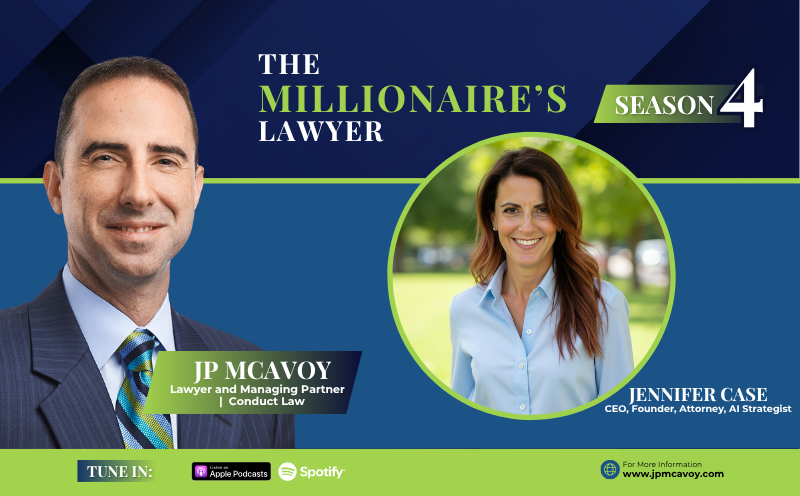
Legal AI and the Access-to-Justice Gap with Jennifer Case
“Be a part of the change. If you have something to say, say it. If you think that things are not being done right in your company or in your profession or in your government, staying on the sidelines should not be an option. You should make your voice count. We don’t want to just go with the flow when we have something, especially this technology that could get away from us. So say something, do something, and stay curious on AI because if you learn to harness it yourself, you’ll be much more prepared for what’s coming.” —Jennifer Case, J.D
Legal AI and the Access-to-Justice Gap: Who Will Serve the Claims No Lawyer Takes?
Most of the talk about legal AI centers on how it helps law firms bill smarter. Jennifer Case, CEO and founder of LawTech AI, thinks the bigger story is who gets served at all. On The Millionaire’s Lawyer, she described a market gap that AI is positioned to fill.
The $10,000 to $40,000 gap nobody serves
By Case’s last count, roughly 89% of claims never involve a lawyer. Small claims court tops out around $10,000, and hiring counsel rarely makes sense until a dispute reaches $40,000 or $50,000. Everything in between is effectively abandoned. Case sees this as the ideal place for AI to lower litigation costs and let people pursue claims they would have dropped.
The AI arbitrator is already working
The American Arbitration Association built an AI arbitrator for construction disputes. It reads the paperwork, finds the applicable law and facts, and recommends who should win. If both parties agree, the dispute is resolved. Case expects more of this for straightforward, document-driven cases. Courts will move slower, though. Many of her clients still hand-deliver files to the courthouse.
What it means for lawyers and firms
AI takes over work like drafting discovery responses, freeing attorneys for strategy, client calls, and networking. Case also expects fewer early-career hires, more small and AI-native firms, and growth in fractional general counsel and legal engineering roles.
Her condition is safety. She recommends business-tier tools, humans reviewing everything, and warns that clients pasting attorney letters into free ChatGPT have already lost privilege in court.
Episode Highlights:
00:00 Meet Jennifer Case and the state of legal AI
08:59 Better lawyers or more AI slop?
13:19 The AI arbitrator and the 10K–40K justice gap
15:25 Will AI kill us all? Safety, regulation, and risk
18:59 The four-folder system for a shared AI brain
26:25 Why OpenClaw never touches client data
28:58 2030: AI-native firms and the small-law comeback
32:16 Jennifer’s advice: be part of the change
Resources:
Get Your Copy of JP’s Book
The Millionaire’s Lawyer: Grow and Sell Your Business for Maximum Profitability
Quotes:
01:45 “Right now, we are clearly in the era of the agents, both on the personal side… and then on the law side.” —Jennifer Case, J.D.
07:57 “If your clients are pretending that the AI tool is their lawyer, and they’re using a consumer product like a ChatGPT that’s free… they can’t claim that privilege. They’ve exposed that information; they waived the privilege, and courts have now said so.” —Jennifer Case, J.D.
09:27 “It’s important that we train the younger attorneys not only how to use AI, but how to critically think for themselves. Because if they don’t know what good writing is versus bad writing, that’s just not going to work.” —Jennifer Case, J.D.
12:26 “There’s going to be a need for the seasoned lawyer to be able to cut through the slop, to make sure that what is being eventually used is the most critical information.” —JP McAvoy
14:53 “As people are more and more comfortable with AI, they can use AI to lower the cost of litigation, to take on claims that they wouldn’t have taken on before, and find justice for those litigants who have been out of the system this whole time.” —Jennifer Case, J.D.
15:10 “It’s (AI) going to create access, and those that might not have been able to advance a claim previously are going to have the ability to do that.” —JP McAvoy
16:52 “We need to protect our industry. We need to protect ourselves by not using the tools that have no regulatory safeguards.” —Jennifer Case, J.D.
25:22 “You need the expert to cut out the slop and make sure that the important things are actually being communicated because there’s a lot of AI communications going back and forth now.” —JP McAvoy
27:20 “By nature, what we do requires a human in the loop, where we need to use our judgment, and we have to make sure that our client information is not going somewhere we can’t control. So, Open Claude is definitely off the table, or anything like it. If you are going to use any of those programs, you have to make sure you’re using it on a sandbox computer that has no access to email, no access to your client files.” —Jennifer Case, J.D.
28:22 “I don’t think anybody knows completely what’s all within it. Certainly, very powerful. It has to remain siloed if anybody’s taking advantage of the power of that program.” —JP McAvoy
32:17 “Be a part of the change. If you have something to say, say it. If you think that things are not being done right in your company or in your profession or in your government, staying on the sidelines should not be an option. You should make your voice count. We don’t want to just go with the flow when we have something, especially this technology that could get away from us. So say something, do something, and stay curious on AI because if you learn to harness it yourself, you’ll be much more prepared for what’s coming.” —Jennifer Case, J.D
A Little Bit About Jennifer:

Jennifer is a California-licensed attorney (Bar #223008) and the founder of Law Tech AI. A former litigator turned entrepreneur, she built Law Tech AI to help solo and small-firm lawyers adopt artificial intelligence safely, ethically, and effectively.
Her practice background spans civil litigation, business operations, and legal technology consulting. Today she works with solo to mid-size firms (1 to 75 attorneys) nationwide, with a focus on California, helping them modernize workflows without compromising client trust or professional standards.
TRANSCRIPTION:
JP McAvoy: Welcome to The Millionaire’s Lawyer where you’ll hear leading professionals share expert advice on how to grow your business and sell it for maximum profitability. If you want to learn lawyer proven strategies for building and exiting your business, then this is the podcast for you. Your host, JP McAvoy, is a Business Lawyer, College Professor, and Best-Selling Author who has been assisting clients start, grow and sell their businesses for millions of dollars for over 15 years. Will yours be the next? Now here’s your host, JP McAvoy.
Hi, and welcome to the show. Today, we’ve got Jennifer Case, who is the CEO and Founder of Law Tech AI. We have a great conversation about AI, how it’s going to influence law, and all things related to it. Here’s my conversation with Jennifer.
Jennifer, thanks so much for joining us here today from sunny San Diego. How are things on the West Coast?
Jennifer Case: Super hot right now. We are over 100 degrees this week, so I am up in my office sweating and trying to keep cool, but it’s tough. How are you?
JP McAvoy: Even from the West Coast, it starts to cool around this time. So we’re recording in September. This will probably be in early October, and this will probably be up towards the end of October. So yeah, take it when we can get it. We were just speaking offline, and obviously, you and I are both quite invested in AI and watching how artificial intelligence continues to influence all things. And for the purposes. this conversation, particularly law, how have you seen things change over the last, it’s accelerated so quickly. But even in the last year, how have things changed as far as you’re concerned?
Jennifer Case: Oh, gosh. Every single day, it’s like drinking out of a fire hose, trying to keep up with what’s going on and all the changes. So I think right now, we are clearly in the era of the agents, both on the personal side with the phenomenon known as OpenClaw, and now Muse is really taking the lead there, which is Meta’s new program. And then on the law side, most of my clients are actively using agentic harnesses such as co-work or work in ChatGPT. A handful of them are still in Copilot, which has been very slow to catch up. But they’re making some strides now. I think that we’re moving from a situation where people were wondering if they should use AI in the law, and how to use it most effectively and safely. And then how to really collaborate as a team. Because when we were first teaching AI a year and a half ago, it was all about the personal attorney’s experience, like their inner interchange with the app itself, how they can organize their files to make sense. But now, we’re looking at a lot more multiplayer agentic work. So when we’re setting up workflows for law firms, we’re always talking about having a central location where all of the memory files live and updating those memory files collaboratively. So if I make a change on one side using my personal AI, that change is then implemented in a shared location. So that if the paralegal then jumps in and they need to make a change, they can update that knowledge base in real time, and so everybody’s always up to speed on what’s going on. And I think part of the movement, at least from my clients, is that all of your AI and workflows were inside whatever AI tool you were using, such that you were kind of stuck wherever you started. So if we’re used to using ChatGPT, all your memory is there. All your context is there. People didn’t want to switch. Now, for my clients, we’ve moved all of the memory outside into their document management system so that knowledge is theirs. It always has been, and is now contained in a way that any different AI tool you want to play at it can pull up your fresh context and be ready to work without regard to who, which program you’re using.
JP McAvoy: You’re agnostic that way because we’ve watched, I’ve heard of many trying to use Copilot. It just doesn’t seem like it was ever going to get there. I know they’ve made some strides. But for the most part, we’re talking, I guess I don’t even know how to describe them, but it’s Claude and ChatGPT that you’re steering people towards, or they’re winning that race, aren’t they?
Jennifer Case: Oh, absolutely. Claude especially, I would say 80% of my clients are in Claude. The only ones who are in Copilot are the ones who have some HIPAA connection. They are using PHI, the Protected Health Information, their medical malpractice attorneys, or their government, and their only AI tool they have access to is Copilot. I like it for that. I like that everything within the Microsoft 365 ecosystem is easier to govern. You don’t have to worry as much about all the connectors. You don’t have to worry about third-party programs that are going to maybe steal your data or have some security breach. Microsoft is the best in the business when it comes to cyber defense. Google’s right there as well. Some of them are having to try to make it work. The new Copilot announcement just last week, I don’t actually have access to it yet, but they released a new revamp of Copilot. And now, it’s going to have your chat function, your co-work function, which is using Anthropic as this underlying model. And then there’s a new section called Code which they previously did not have, and they have like an agentic function that’s built on top of Open Clock called Autopilot. I’m really curious to try that. They had made that announcement just this last week. They have this new program at the same time that Anthropic made the announcement that they’re collapsing it all into one program. I think, as usual, Microsoft is behind thinking that this is what people want, but what they really want is a user experience that’s really easy to understand. Because having to make a decision between chat, co-work, code, sonnet, opus, fable, high, medium, low, it’s too many questions. It’s too many answers. Nobody knows, and we don’t have time to figure them all out and run a prompt in every single potential option to see how that generation is going to be better.
JP McAvoy: Yeah, it’s interesting, right? And it just continues to evolve. So you want it to hopefully continue in one stream, so you don’t have to reinvent or reeducate yourself each time. Microsoft, it would have been interesting if they were able to do it or got off the mark better. Because as you say, it’s all embedded within the Microsoft suite of products, but it just hasn’t been there. And you look at the strength or how much more powerful Claude is, in particular Claude ChatGPT to a certain degree as well, but how much more powerful it is when you’re mentioning four of these as well. I guess the type of services you’re describing there are some differences in terms when we talk about privacy itself. If you’re running the enterprise level solutions, that does give you some assistance with regards to what you’re looking to safekeep, don’t you?
Jennifer Case: Yeah. The reason I always recommend that you be in some sort of team or enterprise plan, I’ve actually researched and white paper on all of the privilege rulings that have happened in federal court that also reads all of the commercial terms of service for the four frontier labs, and kind of intertwine that with what the bar associations are saying. And I think it’s pretty clear, at least my humble opinion as a non-practicing lawyer, that if you’re using as an attorney a business version of one of these programs, you have a right to privacy. You can claim that it’s the same communication that you’re having with Clio or with Microsoft. This is a program that you have trusted, and you’re trusting their terms of service. And if you’re doing that, you’re going to have privilege protection. Now, it does not extend to your clients, of course. So if your clients are pretending that the AI tool is their lawyer and they’re using a consumer product like ChatGPT that’s free, and they take whatever letter they got from their attorney and go ahead, input it into ChatGPT and they say, tell me the strengths and weaknesses of this argument. And then they send the generation of that back to their lawyer, they can’t claim that’s privileged. They’ve exposed that information. They’ve waived the privilege, and courts have now said so.
JP McAvoy: That’s right. Yeah. So it’s important, people may not understand the differences here, but it’s obviously important to keep track of where the information is going, how the software or the programs are being accessed, and the impact of those. As you say, the T’s and C’s are quite relevant to this. How do you think this will continue to evolve from where we are right now? Again, I know this is a big question, but we’ve seen things come out of the starting gates. Clearly, something is going to be used. That was a debate before. To what degree is it going to be used? So it’s clearly something that is going to be used. So how does it evolve from here? What happens to the role of the attorney within that?
Jennifer Case: Well, I think that the attorneys are going to find that the more and more they use AI, it is augmenting their intelligence. It’s making them a better lawyer. Of course, there is a lot of AI slop out there. I’ve heard a lot of it from my clients, especially managing partners, supervisory attorneys who used to wait weeks to get a draft from an associate. Now, they get a draft right away that’s 30 pages longer than it needs to be, and it’s a bunch of slop. So they’re having a really hard time saying it’s really important that we train the younger attorneys not only how to use AI, but how to critically think for themselves. Because if they don’t know what good writing is versus bad writing, and they’re just trusting the AI to give them good writing, that’s just not going to work.
So a lot of our work at Law Tech AI is creating the infrastructure that sets out how they’re going to train the attorneys, and then teaching and coaching them on how to use AI to augment their own intelligence rather than to outsource their intelligence. And I think that if we continue on that trajectory, you’re going to see attorneys that are no longer doing the lower level busy work that they dreaded before, like discovery responses. I’ve got 300 discovery responses I have to get out this weekend. Instead of doing that, you can input the request, you can input some of your facts, and the first draft is ready. And then you’re just editing. You’re able to use your brain in way more strategic ways. And then with your extra time, because you didn’t draft those discovery responses, now you can communicate more with your client. You can go to more networking meetings and work on your business development. Call your client for once. Who has time to do that? So I think there’s going to be a lot more strategy from attorneys and more business development, and then just a lot less busy work.
I think the sad, unfortunate part of this is that a lot of law firms are using AI to not make early hires from first year attorneys and second year attorneys. I understand why. I’ve been a CEO. I know what it’s like to have to lower, keep your costs down. And if you don’t have work for them, there’s no reason to hire them. So I think that’s the biggest challenge is what are we going to do with those new law school graduates who maybe aren’t going to be placed in the law firms that they used to. So that’s challenging, and I don’t have any answers as to how to fix that other than to trust the whole Jay Vaughn’s paradox, which is the more we create technology, the more technology jobs are open. You’re seeing a lot of people who are leaving the law and going into legal tech, going into AI, taking jobs as legal engineers. If you’re following all what’s going on in the legal tech hub, there’s like thousands of new AI tech startups in the law, that’s insanity. Can’t even believe that. This is part of why I have a job because people don’t know how to make a choice between one software and another software when they’re being bombarded. But I think that knowledge work in general is going to evolve. There’s going to be some bumps in the road, and I think there’s going to be real contracting, especially that first year, second year jobs that used to be plentiful. But I think they’ll come back around, and I think that the legal field is going to survive. It just might have a few less lawyers.
JP McAvoy: Yeah. I think that’s it, Jennifer. I think you’re hitting it on the head. There’s going to be the need for the sophisticate, the seasoned lawyer, to among other things, be able to cut through the slop. To make sure that what is being eventually used is the most critical, most best information. But in the early years in the practice, we’re doing the first initial draft. Perhaps they’re not going to be as needed. They’re going to have to make sure that they understand how the industry is evolving, so that they can perhaps get themselves, if they’re interested in practice in law, being at the pinnacle, right? Being the thought leader, the expert sooner rather than later. Because those early level positions, I think, are certainly at risk. And then what about for law itself, do you envision that the way that the law is practiced, the way that disputes are settled, the way that transactions are consummated, do you pursue that as being something that’s going to change as well?
Jennifer Case: Yeah. And I think it already is changing. I’m not sure if you follow what’s going on at the American Arbitration Association, but they created an AI arbitrator, and they submit construction disputes to this AI arbitrator. And you know it’s been great. I think that what they’ve done, and I think there’s just a bunch more that’s going to happen is they take these disputes that are relatively straightforward, paperwork driven, where you don’t really need a human to go back and forth. The AI arbitrator reads the paperwork, looks for the law that applies, looks for the facts that apply, and makes a suggestion as to who should win. And if both parties agree, that’s how that dispute is resolved. And I think that’s one of the early examples of what’s going to happen. I’m super passionate about AI being used to create more justice for more people. The last time I checked, it was something like 89% of claims that people do not hire lawyers because the amount at issue is too low. Your options are small claims court, which is only up to $10,000. And then you hire an attorney when it’s like 40 or 50. So there’s this huge gap between 10,0000 and 40,000 where nobody’s hiring a lawyer for that. So all of those claims in between, that is a great place for AI to come in and start finding ways to help solve those disputes, and make access to justice more affordable for everybody involved. So that’s going to be a great benefit of AI. So looking at it from the glass half full side as AI becomes, people are more and more comfortable with it. They can use AI to lower the cost of litigation, to take on claims that they wouldn’t have taken on before, and find justice for those litigants who have been out of the system this whole time.
JP McAvoy: That’s right. It’s going to create access, and those that might not have been able to advance the claim previously are going to have the ability to do that. So that’s certainly a positive. The negative we’re hearing now more and more is that AI is going to kill us all.
Jennifer Case: Gosh, I don’t know. They say it’s like 10% chance. I am a big proponent of AI safety. I think that we need to have collaboration between these big companies and governments. I think it’s really, really challenging right now in the current administration to turn off all the noise with the politics and needing to have AI world domination. It’s frustrating that we have a technology that has the capacity to be so dangerous and damaging to shut down the entire internet, shut down systems, breach the cyber defenses of the most sophisticated agencies in the world. And yet, we have leadership who’s too afraid to put any type of regulations in place because it might open the door for China to advance ahead. I think that’s a really really big challenge, and I don’t know the answer to it. I think it was a Saturday Night Live this past weekend where there was a skit with , and he said, we’re just waiting for the government to regulate us so that, or regulate me so that I don’t kill us.
JP McAvoy: That’s just a scary thought. Farcical to even think.
Jennifer Case: Yeah. I’m scared like everyone else that this is going to get out of control. But I also firmly believe that us as lawyers in our profession don’t need to stop using it because of that. But it really highlights the point that we need to protect our industry. We need to protect ourselves by not using the tools that have no regulatory safeguards. This is why I do not recommend that anybody use programs like Grok, if you don’t have any guardrails, then you aren’t protecting your client’s information. So at least within our profession, I try to stick to the programs that I trust, and that trust being a challenging word because all of it is so new. But I try to stay away from programs that seem too risky. I don’t use Claude or ChatGPT in the browser most of the time. I think that there’s a lot of risk with prompt injection, which is an unsolved problem that all of the AI companies know about, and nobody has offered a solution yet. The cyber defense companies do not have a way to figure it out yet. It’s still just kind of open season for nefarious actors, and I think we all have to be on guard for that. I don’t think that should stop us from using the tools that will help us be better, as long as we are doing it very safely and with eyes wide open on the risks, and making sure our clients are up to speed on what the risks are. We just have to pray that our government and industry leaders can come together. This last week, there were some really good meetings in Washington, and we’ve got the leaders of the two AI labs on the same page for the first time in history. And the president being supportive of Anthropic all of a sudden, which never happens. So I think we’re on the right track, and I think that we’re not going to die yet.
JP McAvoy: There you go. You’re in the 9% camp, so it’s just helpful to hear. So yes, as you described, there’s major macro level challenges. But down to the micro levels, you’re advising a firm, or a solo practitioner, or somebody that’s organizing their business. So you mentioned at the outset that you’re talking, obviously Claude and ChatGPT, and you’re saying keep your data, keep everything in your data management system yourself, right? So all the files reside within your own infrastructure, how do you steer them towards doing that? Then is it a common folder through co-work that it’s all being pointed towards?
Jennifer Case: For example, I have OneDrive, SharePoint through Microsoft. Several of my clients are on Google Shop, so it’s a very similar setup. You have four major parts of your document management system, which is what I try to set up in these memory files. So you have about you personally, what your writing style is, your preferences about the firm, who the firm is, this is who we are. You have your playbooks, this is how we write certain types of contracts, or this is all of the clauses that we use all the time, or here’s our motion drafting playbook, which just has examples that are basically amalgamations of all your templates. So instead of having a template library, now you have a playbook library, and that playbook library can be for your transaction, or litigation, or anything in between, and then you have your active matter files. So if you have your active matters inside each of your active matters, you have the name of the case, and then inside each of those folders, at the root of the folder is the memory file that has the knowledge about that file. So if you are using Claude CoWork, for example, you might set up a project in Claude CoWork called the Smith file, and you would attach that folder to that active matter folder, and now all that information is there. You build a knowledge bank when you first start working on that project that you tell it to read certain subfolders, look at the client docs, look at the pleadings, look at the discovery, put together this knowledge bank, and then that knowledge bank is inside the active matters folder at the root so that if the other person on the other side of the office have a co-work folder as well, and it’s also connected to there, so you’re sharing the memory rather than bringing all the memory into the AI tool. Because then, you’re stuck using that AI tool.
It knows everything. That’s kind of my criticism of programs, like Harvey or any of the others, if you only used Clio, for example. It’s great if you’re using Clio and you’re using the AI tool that’s inside Clio. It can read your Active Matter files. It can tell you what’s going on in there, but it can’t tell you what’s going on in other parts of your business because it’s just within Clio. Whereas if you do it this way, you can have your co-work folder that’s attached to the Active Matter folder, it’s also attached to the playbook. So if you need to pull your playbook for motion drafting, you have that right there. It also knows how you write, how your firm writes. It has your pleadings, so it understands how to create a caption for you. And then it’s also connected to your QuickBooks, or it’s also connected to your Clio, so you can figure out what if any client owes you any money, or has the check cleared in QuickBooks all within one place because those connectors are all going everywhere else. So yeah, that’s kind of how I’m setting things up. It’s all about infrastructure first, getting your templates into a place where your AI tool can read and understand them, and be really helpful. We use that to build skills. So then, that’s another aspect of what we put in infrastructures or skills. Does that answer your question?
JP McAvoy: Yeah. That makes complete sense. And you have them all. Clio will point to it as well if someone’s using Clio in addition to, and it’s all just sitting on OneDrive. As each of the software programs are being set up, it’s just telling it where to point.
Jennifer Case: Yeah. So Clio is a little bit different just because they don’t have an official MCP server with Clio, but they do have an API. And so there’s an open source MCP server for Clio that my clients have connected to Claude, so they can work within Claude and grab information, and write information back to Clio depending on how the permissions are set up. So that’s mostly what I do with my clients. I do an inventory of what their technology is? What are the available connectors? And then I help them set up those connections. And then I set up workflows for the clients so that, for example, there’s a chief of staff agent that I run, and a lot of my clients run, which will do a sweep of Teams, Outlook, your calendar, your Clio tasks. If you’re using Notion, or Monday, or any of those task management softwares, and it’ll come back and give you kind of like, this is your day, and this is what’s going on, and this is what your priorities are. And then depending on your permissions and what you feel comfortable with, I have a chief of staff agent that sends an email to my marketing team that says like, this is what we’re working on this week. Checks my QuickBooks, tells me how you know finances are going, and then sends emails to my virtual assistant and the attorney that works for me and saying, this is what’s on your plate today. And if they write back to those, then the agent grabs it for the next day so that we all kind of always stay up to speed on what we’re doing. So that’s more advanced use of the agentic tools that I find to be very helpful, especially when your calendar looks the way mine does.
JP McAvoy: Yeah. Absolutely. So you’re actually giving it the ability to actually send emails on your behalf, then?
Jennifer Case: Yeah. Mostly, it just drafts, and I send. The exception is the chief of staff agent. There’s one email that goes out in the morning to my staff that is sent by Claude Code. But for the most part, it does do email triage, and answer everything that I haven’t answered. But just put it in the draft, and then I go through the drafts and change it. I don’t trust AI to send anything to my clients or anybody else other than just my staff.
JP McAvoy: Yeah. Because that’s one of the questions that gets debated. At what point, or will we trust them enough to actually send? I guess you can have a note saying, this is only my agent sending. But as you say, there could be some agent sent that you don’t want to see sent. Is it all going through Outlook or Gmail? How are you actually sending?
Jennifer Case: I have everything in Outlook. I have personal Gmail, so I have a connector there, but I don’t use it very much. But what I do is I have whenever AI creates a draft for me. It says at the very top of the email, this draft was drafted by AI, so it forces me to make sure I’ve read the whole thing, and I remove that, and then I send. It’s not 100% necessary because I have drafts there all the time, and I pretty much know they’re all written by AI. But that’s helpful. It loves to be trusted too.
JP McAvoy: Actually, that’s a good practice to have done that way. So you remove the, it’s been drafted by AI. The reality is you see more and more, and you realize that you’re receiving something from somebody else’s AI, and they’re using AI to respond to it. So it’s becoming this circular kind of thing. Going back to what I said before, you need the expert to cut out the slot. Really make sure that the important things are actually being communicated because there’s a lot of AI communications going back and forth now. That’s for sure.
Jennifer Case: Yeah. That’s true. You never know if you’re talking to a human or a bot.
JP McAvoy: Yeah. Is it going to be a human or bot? And there’ll be technologies that continue to be developed to address this chat just within the program themselves. So do you have people actually working, or as they’re doing the work, are they actually mostly doing it in ChatGPT and Claude itself, and so they’re working within projects that have been linked up into the databases.
Jennifer Case: That’s where I’m seeing the most of the work done. I have a few more sophisticated people that are spending time in other programs. But mostly just solos that don’t have any staff that have built agents in other programs. But the majority of my work is in ChatGPT and Copilot.
JP McAvoy: We’ll see if they continue to maintain that lead. Which at this point, it certainly seems as though they will. You mentioned, I don’t know if it was in passing or mistakenly so, but did you mention OpenClaw earlier as well? Are you actually seeing anybody use that, or having agents develop there and deploy those?
Jennifer Case: So that’s what Microsoft built its new Autopilot on. They used OpenClaw as the underlying agent when they built their new Auto Pilot. So I haven’t seen it yet since I don’t have access, but that is certainly Open Clawification of the AI tools is happening everywhere. You’re seeing it with Muse. Muse came out from Meta. I’m using that personally just to clean up my Gmail. I haven’t really used it for anything else, but I think personal agents are coming out a lot right now, and that’s where ChatGPT is focusing its efforts as well since it’s the number one consumer AI tool. So you’re seeing a lot more of that in law. I don’t trust OpenClaw. I would never recommend that to any of my clients because those programs have access to everything, and they work without humans in the loop. And by nature, we do require a human in the loop where we need to use our judgment, and we have to make sure that our client information is not leaving somewhere, going somewhere that we can’t control. So OpenClaw is definitely off the table, or anything like it. So if you are going to use any of those programs, you have to make sure you’re using it on a sandbox computer that has no access to email, no access to your client files. So the few people that I know who are using it are using it for social media. So maybe they have access to a marketing folder, and the marketing folder has their brand voice and the blogs that they typically write, and it has access to LinkedIn, and maybe it’s running the Google ads or the Facebook ads, and it just does all of the social media for the client. That is the one use case that I see as safe as long as it doesn’t have any access to client data, or bank accounts, or anything of importance.
JP McAvoy: Yes. It’s fascinating. And to hear that Microsoft is piggybacking off it as well because it’s the very nature of the way it was built. We don’t even know. I don’t think anybody knows completely what’s all within it. Certainly very powerful, but I would suggest certainly that it has to remain siloed if anybody’s taking advantage of the power of that program as well. Fascinating. We’re watching this evolve in real time, right? And it changes so quickly. I asked you before what you thought things would look like in the near term future. Where do you see the long term horizon for this? Where are we in 2030? A lot of people turn to that as being the time where we’re going to see singularity. We’re going to see things where things are really the nature of the game that are going to have changed a little. Have you put your mind to that at all?
Jennifer Case: I try not to think that far ahead. It’s an exercise in futility. There’s just way too much happening too fast. No one could have predicted that we’d be where we are right now already. So no, I don’t think about that. I think you know just thoughts off the cuff that we’ll see a lot more knowledge work being handled by AIs with less human involvement, basic stuff. I don’t think most people will be doing any type of data entry, or marketing, or graphic design, website development, all those kinds of things that right now these programs are already so good at. I think that those jobs are gone for anything other than a manager of agents, which is what we’re seeing a lot of now. People are hired in order to manage a team of agents to be a human in the loop over hundreds of agents. So I think that’s probably where we’ll be. I don’t know how to predict what’s going to happen with the law, other than I think there’ll be a lot of consolidation. I think that there’ll probably be less big law and a little bit more small law. And the small firm lawyers are very nimble. They’re able to react a lot quicker than these bigger law firms. They don’t have layers of red tape. I think we’ll see a renaissance of the small firm lawyer, the fractional general counsel, the legal engineer, and there’ll be a lot more law firms that are AI native that were created with AI in mind, and that AI handles the majority of intake and lower level processing. And then the attorney gets involved for the judgment and goes to court to the extent that the courts haven’t changed. Because if you look at the American arbitrator that they created with AI, if you start to see court cases going that way as well where there’s an AI judge, we could see a total change in the way the court systems work. Right now, a lot of my clients are still having to hand deliver their files down to a courthouse, so I think it’s going to take more than five years to change that behavior. But everything’s accelerating so fast. You just never know.
JP McAvoy: And the important thing is just to stay close to it. Conversations like this are invaluable as we continue to watch things evolve. The progress of it is going so quickly. Jennifer, you’ve given us a lot of insight here. If someone’s listened to something and says, hey, I need more of that. What’s the best way to get in touch with you?
Jennifer Case: You can reach out on LinkedIn or go to my website, which is . My email is jennifer@lawtech.ai. So reach out directly, or follow me on LinkedIn. I respond to every message on LinkedIn. It is not a bot.
JP McAvoy: As we hear from this conversation, we’ll be thinking of what that looks like. But yes, at some point, Jennifer, thanks so much for joining us here today. I’d love to end these episodes by asking one last question, which is, what is something that someone has taught you through the years that’s really stuck with you that someone here listening might be able to take from as well? So something you’ve heard, a piece of advice, maybe some guru, a mentor, somebody that’s giving you a tip along the way that’s really really resonating with you that might be helpful to somebody here listening today. Do you have anything in mind?
Jennifer Case: I think being a part of the change is probably some of the best advice I’ve received. Not keeping your head in the sand. If you have something to say, say it. If you think that things are not being done right in your company, or in your profession, or in your government, staying on the sidelines should not be an option. You should make your voice count. Go out there and talk about it. Upcoming elections are happening right now. Get involved, vote. Make your voice heard because we need intelligent people to stand up and say what’s necessary because we don’t want to just go with the flow when we have something, especially this technology that could get away from us. So say something, do something, and stay curious about AI. Because if you learn to harness it yourself, you’ll be much more prepared for what’s coming.
JP McAvoy: Well said. Very true. So listening here, staying involved, and making sure your voice gets heard are all very important. Thanks for sharing your voice here today. We look forward to talking next time in
Jennifer Case: All right. Thanks, JP. Nice to see you.
***Thanks for listening to The Millionaire’s Lawyer. Please subscribe and rate on iTunes or wherever you get your podcast. To get your business millionaire assessed, and to access the wide variety of resources that we offer, in addition to this podcast, go to jpmcavoy.com. That’s J-P-M-C-A-V-O-Y .com.
Recent Comments